> ## Documentation Index
> Fetch the complete documentation index at: https://docs.baato.io/llms.txt
> Use this file to discover all available pages before exploring further.

# Display a map

> Render a Baato vector map in a plain HTML page.

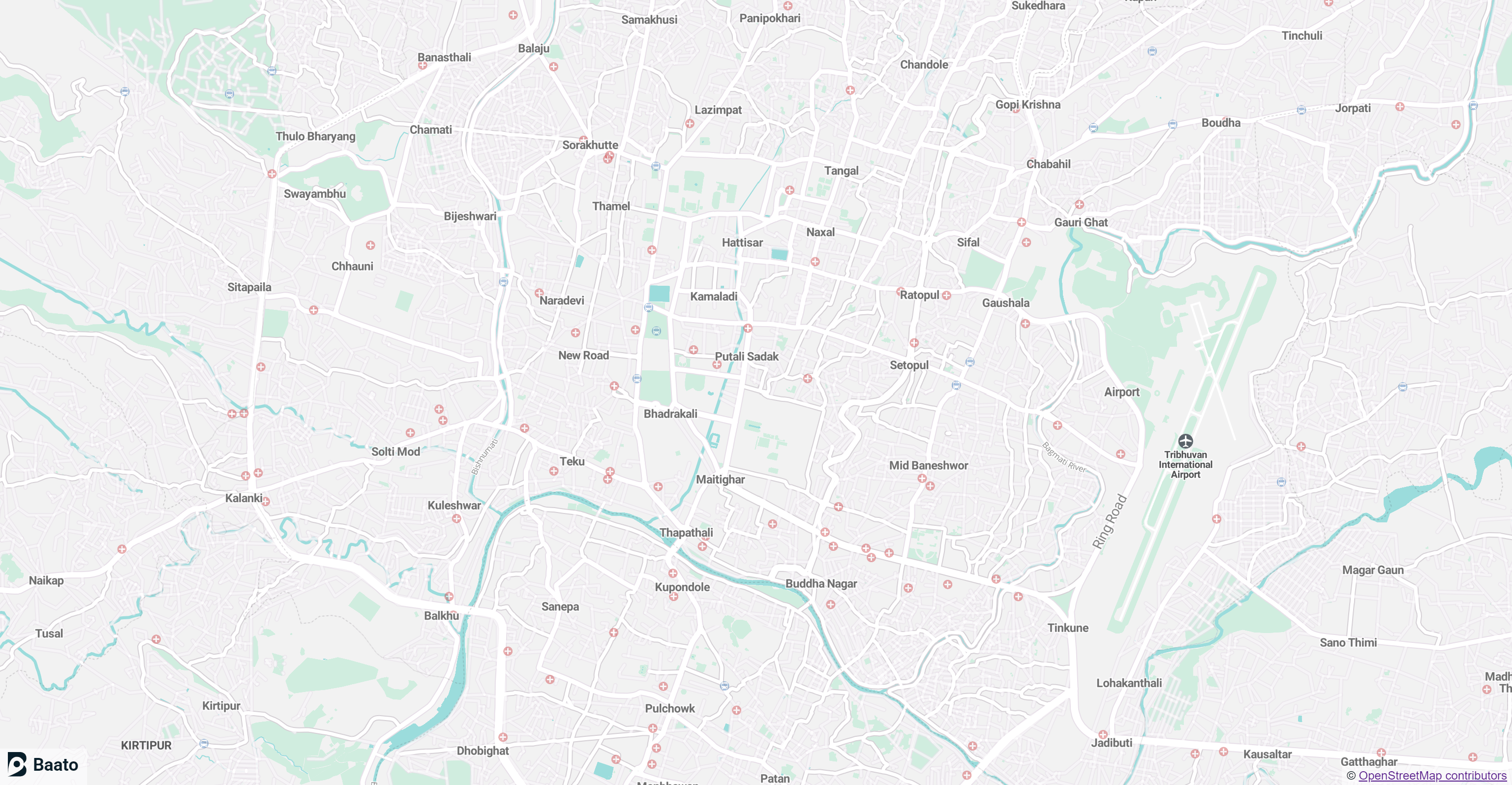
This example shows you how to display a map using Mapbox GL JS and a Baato style URL.

<Frame caption="A Baato vector map in the browser">
  <img src="https://mintcdn.com/baato/3GUKEGLT42m2snov/images/html/displaymap.png?fit=max&auto=format&n=3GUKEGLT42m2snov&q=85&s=2475f78d257160c2a6e40c1fe4163471" alt="A Baato vector map rendered in the browser" width="3074" height="1596" data-path="images/html/displaymap.png" />
</Frame>

<CodeGroup>
  ```html Mapbox GL JS theme={null}
  <!DOCTYPE html>
  <html lang="en">
      <head>
          <meta charset="UTF-8" />
          <meta name="viewport" content="width=device-width, initial-scale=1.0" />
          <title>Display a map</title>
          <script src="https://api.mapbox.com/mapbox-gl-js/v1.11.0/mapbox-gl.js"></script>
          <link href="https://api.mapbox.com/mapbox-gl-js/v1.11.0/mapbox-gl.css" rel="stylesheet" />
          <style>
              body {
                  margin: 0;
                  padding: 0;
              }
          </style>
      </head>

      <body>
          <div id="map-container" style="position: absolute; top: 0; bottom: 0; width: 100%;">
              <div style="z-index: 10; padding: 0 5px;background-color: hsla(0,0%,100%,.5);margin: 0; position:absolute; bottom:0px; right: 0px"> © <a href="https://www.openstreetmap.org/copyright" rel="noopener noreferrer no follow" target="_blank">OpenStreetMap contributors</a></div>
              <div style="z-index: 100; padding: 0 5px;background-color: hsla(0,0%,100%,.5);margin: 0; position:absolute; bottom:0px; left: 0px"><a href="https://baato.io" rel="noopener noreferrer no follow" target="_blank"><img src="https://sgp1.digitaloceanspaces.com/baatocdn/images/BaatoLogo.svg" alt="Baato" width="80px"></img></a></div>
          </div>
          <script>
              var map = new mapboxgl.Map({
                  container: "map-container",
                  style: "https://api.baato.io/api/v1/styles/breeze?key=YOUR_BAATO_ACCESS_TOKEN", // Baato stylesheet location
                  center: [85.31853583740946, 27.701739466949107], // starting position [lng, lat]
                  zoom: 14, // starting zoom
              });
          </script>
      </body>
  </html>
  ```

  ```html MapLibre GL JS theme={null}
  <!DOCTYPE html>
  <html lang="en">
      <head>
          <meta charset="UTF-8" />
          <meta name="viewport" content="width=device-width, initial-scale=1.0" />
          <title>Display a map</title>
          <script src="https://cdn.maptiler.com/maplibre-gl-js/v1.13.0-rc.4/mapbox-gl.js"></script>
          <link href="https://cdn.skypack.dev/maplibre-gl/dist/maplibre-gl.css" rel="stylesheet" />
          <style>
              body {
                  margin: 0;
                  padding: 0;
              }
          </style>
      </head>

      <body>
          <div id="map-container" style="position: absolute; top: 0; bottom: 0; width: 100%;">
              <div style="z-index: 10; padding: 0 5px;background-color: hsla(0,0%,100%,.5);margin: 0; position:absolute; bottom:0px; right: 0px"> © <a href="https://www.openstreetmap.org/copyright" rel="noopener noreferrer no follow" target="_blank">OpenStreetMap contributors</a></div>
              <div style="z-index: 100; padding: 0 5px;background-color: hsla(0,0%,100%,.5);margin: 0; position:absolute; bottom:0px; left: 0px"><a href="https://baato.io" rel="noopener noreferrer no follow" target="_blank"><img src="https://sgp1.digitaloceanspaces.com/baatocdn/images/BaatoLogo.svg" alt="Baato" width="80px"></img></a></div>
          </div>
          <script>
              var map = new mapboxgl.Map({
                  container: "map-container",
                  style: "https://api.baato.io/api/v1/styles/breeze?key=YOUR_BAATO_ACCESS_TOKEN", // Baato stylesheet location
                  center: [85.31853583740946, 27.701739466949107], // starting position [lng, lat]
                  zoom: 14, // starting zoom
              });
          </script>
      </body>
  </html>
  ```
</CodeGroup>