> ## Documentation Index
> Fetch the complete documentation index at: https://docs.baato.io/llms.txt
> Use this file to discover all available pages before exploring further.

# Markers with GeoJSON

> Add markers to a web map from a GeoJSON source.

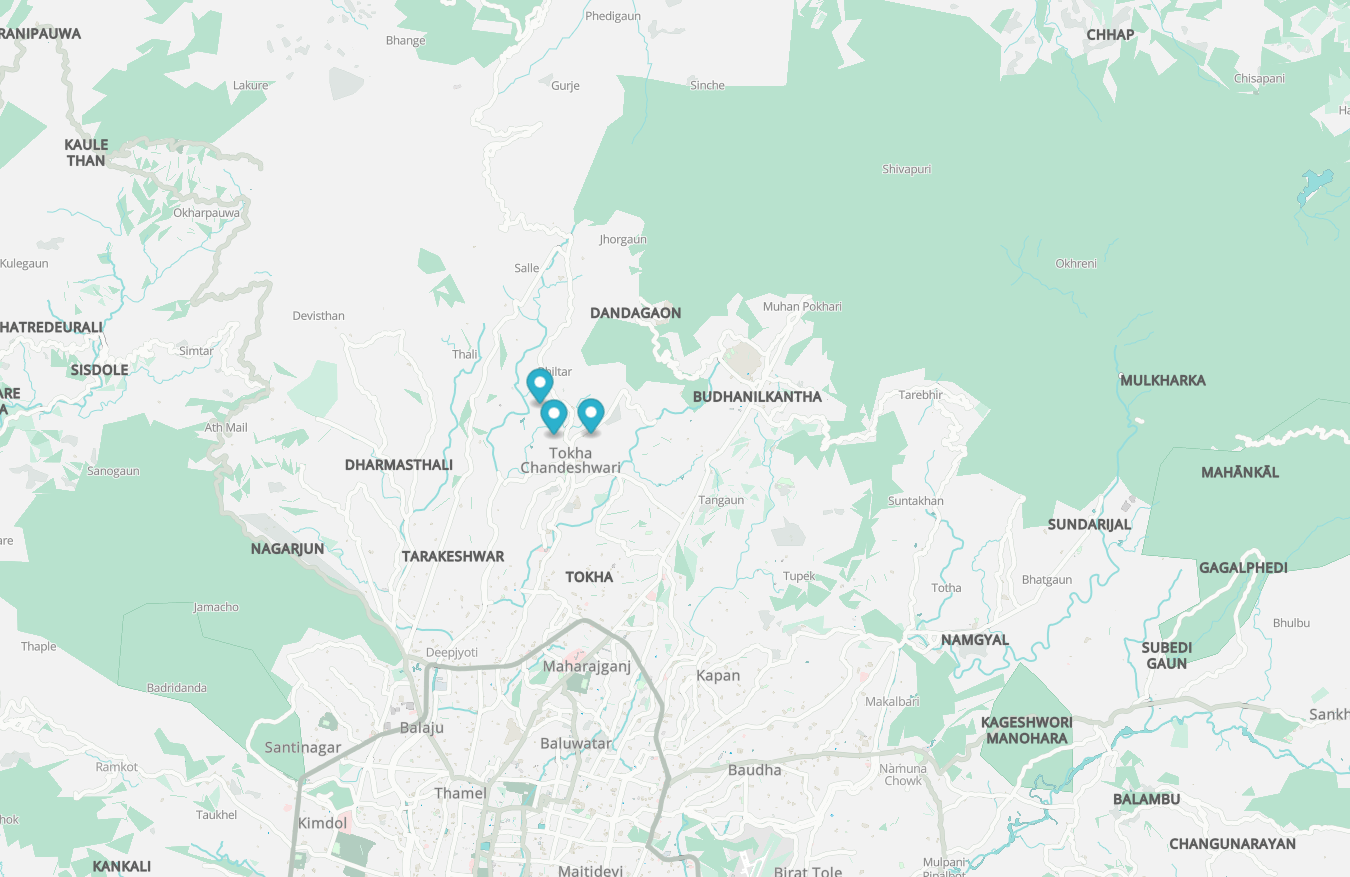
This example shows you how to display markers using GeoJSON on a map using Maplibre GL JS and a Baato style URL. Instead of markers, using symbols can be a better choice. For more examples or details, please refer to [Maplibre docs](https://maplibre.org/maplibre-gl-js/docs/).

<Frame caption="Markers rendered from a GeoJSON source">
  <img src="https://mintcdn.com/baato/3GUKEGLT42m2snov/images/html/markers-with-geojson.png?fit=max&auto=format&n=3GUKEGLT42m2snov&q=85&s=e27ef7e447e6f1110b5e1b6a3ccf9a11" alt="Markers rendered from a GeoJSON source on a Baato web map" width="1350" height="877" data-path="images/html/markers-with-geojson.png" />
</Frame>

```html theme={null}
<!DOCTYPE html>
<html>
  <head>
    <meta charset="utf-8" />
    <title>Show markers using Geojson</title>
    <meta
      name="viewport"
      content="initial-scale=1,maximum-scale=1,user-scalable=no"
    />
    <link
      href="https://unpkg.com/maplibre-gl/dist/maplibre-gl.css"
      rel="stylesheet"
    />
    <script src="https://unpkg.com/maplibre-gl/dist/maplibre-gl.js"></script>
    <style>
      body {
        margin: 0;
        padding: 0;
      }
      #map {
        position: absolute;
        top: 0;
        bottom: 0;
        width: 100%;
      }
    </style>
  </head>

  <body>
    <div id="map"></div>
    <script>
      // Initialize the map
      let map = new maplibregl.Map({
        container: "map",
        style:
          "https://api.baato.io/api/v1/styles/breeze?key=YOUR_BAATO_ACCESS_TOKEN", // use Baato style with your access token
        center: [85.32966478286596, 27.767117959855653],
        zoom: 12, // starting zoom
      });

      // GeoJSON data- This can be obtained from API calls or local JSON. Using simple data for now
      let geojsonData = {
        type: "FeatureCollection",
        features: [
          {
            type: "Feature",
            geometry: {
              type: "Point",
              coordinates: [85.3248900418061, 27.775218979296984],
            },
            properties: {
              title: "Marker 1",
              category: "A",
            },
          },
          {
            type: "Feature",
            geometry: {
              type: "Point",
              coordinates: [85.33355708368313, 27.770581579637934],
            },
            properties: {
              title: "Marker 2",
              category: "A",
            },
          },
          {
            type: "Feature",
            geometry: {
              type: "Point",
              coordinates: [85.32729817095844, 27.770407943085207],
            },
            properties: {
              title: "Marker 3",
              category: "B",
            },
          },
        ],
      };

      // Function to create markers
      function createMarkers(data) {
        data.features.forEach(function (feature) {
          let el = document.createElement("div");
          el.className = "marker";
          let marker = new maplibregl.Marker(el)
            .setLngLat(feature.geometry.coordinates)
            .setPopup(
              new maplibregl.Popup({ offset: 15 }).setText(
                feature.properties.title
              )
            )
            .addTo(map);
        });
      }

      // Load the map and create markers
      map.on("load", function () {
        createMarkers(geojsonData);
      });
    </script>
  </body>
</html>
```