

Get a vector map style
Endpoints
Map Styles API
Vector map styles following the Mapbox Style Specification.
GET
Get a vector map style
Available styles
This table is the canonical list of style names. Other pages in these docs link here rather
than repeating it.
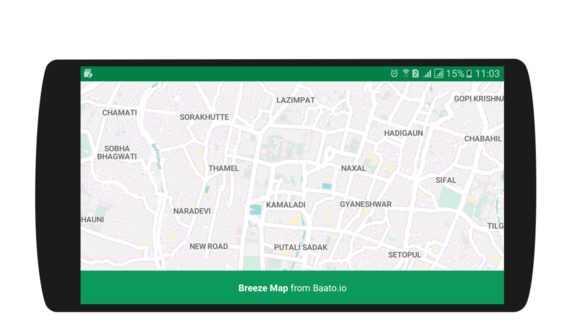
breeze
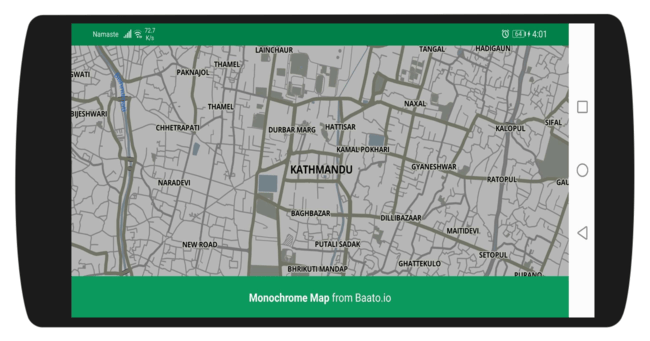
monochrome
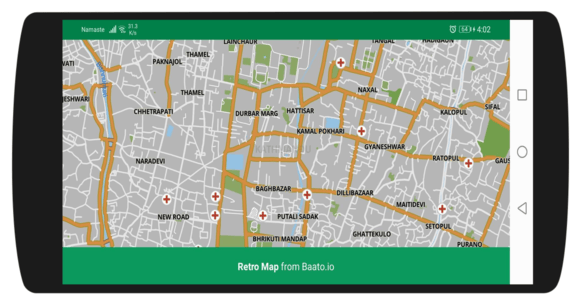
retro
Using a style
The response is a Mapbox Style Specification document, so any compatible renderer consumes the URL directly. There is nothing to parse or transform.This endpoint is the one exception to Baato’s response envelope —
it returns the raw style document, because renderers consume it directly.
Runnable examples
Web
A complete HTML page with MapLibre and Mapbox GL.
Android
Applying and switching styles in an activity.
Flutter
Rendering a styled map with
baato_maps.React Native
MapLibre React Native with a Baato style URL.
Displaying Baato and OpenStreetMap attribution is a condition of using these styles. See
Attribution requirements.
Authorizations
Your Baato access token. See Authentication.
Path Parameters
The name of the style requested.
Available options:
monochrome, breeze, dark, black_white, roads, retro Response
A Mapbox Style Specification document. The shape is defined by that specification rather than by Baato.
The response is of type object.